

Unbranded/Generic Timer DC 24V Trigger Cycle Delay Relay LED Display Digital Switch Relay /W CASE
Unbranded/Generic Timer DC 24V Trigger Cycle Delay Relay LED Display Digital Switch Relay /W CASE


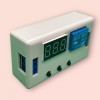
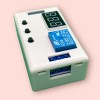
Unbranded/Generic Timer DC 24V Trigger Cycle Delay Relay LED Display Digital Switch Relay /W CASE
Product Overview
Description :
New upgrades to simplify,to meet customer needs.
Increase the supply anti-reversefunction.
The use of opto isolated input and output,enhanced anti-jamming capabilite consumption.
Set parameter after power for ever memories.
Signal terminal voltage signal can be maintained for a longtime.
to ensure stability,industrial grade board,class PLC.
New upgrades to simplify,to meet customer needs.
Increase the supply anti-reversefunction.
The use of opto isolated input and output,enhanced anti-jamming capabilite consumption.
Set parameter after power for ever memories.
Signal terminal voltage signal can be maintained for a longtime.
to ensure stability,industrial grade board,class PLC.
Function introduction
P-1: The signal triggers the relay to pull in. When the time is up, the relay is disconnected during the delay.
A: Invalid trigger again B: Re-trigger re-clocking C: Trigger relay reset again to stop timing
P-2: The signal trigger start timing time T1, the time is up to the relay pull-in time T2 is disconnected (reset)
A: Invalid trigger again B: Re-trigger re-clocking C: Start delay without triggering power-on
P-3: Cycling: Turn on T1, disconnect T2, infinite loop. For T1 and T2, the time is adjustable; if a parameter is turned ON or OFF, it can be turned on or the power is turned on.
A: The relay is turned on immediately after power-on. B: The relay is turned off and then turned on after power-on.
P-4: There is signal, the relay is closed, the suction is kept, the signal disappears, the timing starts, the time is up, the relay is disconnected, during the delay, the signal is given again, the delay is cancelled, the relay is kept, the signal disappears, and the time is re-timed.
P-1: The signal triggers the relay to pull in. When the time is up, the relay is disconnected during the delay.
A: Invalid trigger again B: Re-trigger re-clocking C: Trigger relay reset again to stop timing
P-2: The signal trigger start timing time T1, the time is up to the relay pull-in time T2 is disconnected (reset)
A: Invalid trigger again B: Re-trigger re-clocking C: Start delay without triggering power-on
P-3: Cycling: Turn on T1, disconnect T2, infinite loop. For T1 and T2, the time is adjustable; if a parameter is turned ON or OFF, it can be turned on or the power is turned on.
A: The relay is turned on immediately after power-on. B: The relay is turned off and then turned on after power-on.
P-4: There is signal, the relay is closed, the suction is kept, the signal disappears, the timing starts, the time is up, the relay is disconnected, during the delay, the signal is given again, the delay is cancelled, the relay is kept, the signal disappears, and the time is re-timed.
Notes
The relay output is a passive contact that has no live output and controls the on/off of a line.
The relay output is a passive contact that has no live output and controls the on/off of a line.
Product parameters:
Size:64.2mm*34.8mm*18.5mm.
Relay Specifications:AC 220V 10A or DC 30V 10A.
Quiescent Current:20mA,Operating Current:50mA.
Working voltage:10~16V (if other ranges can be customized).
Signal voltage:4V~20V (if other ranges can be customized).
life:about100,000times,Working temperature:-40~85'C.
Selection:After power on,long press K12 seconds later into the select function mode,P1-1~P1-4forchoose.
Size:64.2mm*34.8mm*18.5mm.
Relay Specifications:AC 220V 10A or DC 30V 10A.
Quiescent Current:20mA,Operating Current:50mA.
Working voltage:10~16V (if other ranges can be customized).
Signal voltage:4V~20V (if other ranges can be customized).
life:about100,000times,Working temperature:-40~85'C.
Selection:After power on,long press K12 seconds later into the select function mode,P1-1~P1-4forchoose.
P1-1 operating modes:a signal to trigger relay, time is up,the relay
disconnect users,You can set relay time T,click K2 the hundreddigital
tube starts flashing,then press K3, the hundred digital change;click K2
ten digital tube starts flashing,then press K3,ten digit changes;click K2
bit digital tube starts flashing, then press K3, single-digit change;then
click K2,; digital pipe does not blink,then press the K3, shifting the
decimalpoint,the decimalpointin abitindicates 0-999minutesin ten
represents 0 to 99.9 seconds withou tadecimalpointrepresents 0-999
seconds;goodchoice,bringing the time setting is completed.Short press
K1,enterfunction offine-tuning settings,triggerthedefaultdelayperiod
is invalid, press K1, during the delay trigger active(re-timing),clickon
the K1, during the delay reset (timer turned off,the relay reset) press
again to repeat the default settings for the first time.
disconnect users,You can set relay time T,click K2 the hundreddigital
tube starts flashing,then press K3, the hundred digital change;click K2
ten digital tube starts flashing,then press K3,ten digit changes;click K2
bit digital tube starts flashing, then press K3, single-digit change;then
click K2,; digital pipe does not blink,then press the K3, shifting the
decimalpoint,the decimalpointin abitindicates 0-999minutesin ten
represents 0 to 99.9 seconds withou tadecimalpointrepresents 0-999
seconds;goodchoice,bringing the time setting is completed.Short press
K1,enterfunction offine-tuning settings,triggerthedefaultdelayperiod
is invalid, press K1, during the delay trigger active(re-timing),clickon
the K1, during the delay reset (timer turned off,the relay reset) press
again to repeat the default settings for the first time.
P1-2 operating modes:Asignal trigger ,digital countdown begins,X
seconds after,there lay open Y seconds,then close.Users can set the relay
time X,Y;P1-1different time settings similar to the blue lights that set
the relay time,blue light indicates setting relay off time. Short press K1,
enter function offine-tuning the set,the default trigger is invalid during
the delay,pressK1,during the delay trigger active(re-timing),then click
the first repeat default settings.
seconds after,there lay open Y seconds,then close.Users can set the relay
time X,Y;P1-1different time settings similar to the blue lights that set
the relay time,blue light indicates setting relay off time. Short press K1,
enter function offine-tuning the set,the default trigger is invalid during
the delay,pressK1,during the delay trigger active(re-timing),then click
the first repeat default settings.
P1-3 operating modes:Open X seconds,disconnect Yseconds, infinite
loop.Users can set the relay timeX,Y;time setting similar to P1-2.Short
press K1,enter function offine-tuning set,The default function is:set up
an electric circuit the relay first open, press the K1,there lay first
close.Press again to repeat the default functionality.
loop.Users can set the relay timeX,Y;time setting similar to P1-2.Short
press K1,enter function offine-tuning set,The default function is:set up
an electric circuit the relay first open, press the K1,there lay first
close.Press again to repeat the default functionality.
P1-4 operating modes:a signal to trigger the relay open but do not start
the timer,when the trigger signal disappears,digital count down begins,X
time after,the relayclose; During the delay,again to the signal,digital
count down canceled, stays energized, the signal disappears, restart
count down; (equivalentto release the button to start timing, commonly
usedin power-offdelay).Users canset the relay time X; time setting similar to P1-1.
the timer,when the trigger signal disappears,digital count down begins,X
time after,the relayclose; During the delay,again to the signal,digital
count down canceled, stays energized, the signal disappears, restart
count down; (equivalentto release the button to start timing, commonly
usedin power-offdelay).Users canset the relay time X; time setting similar to P1-1.
Product parameters
Working voltage: DC12V (normal working voltage DC10V-16V)
Source: DC4V~20V (usual power supply positive trigger, button, PNP sensor, PLC signal, etc.)
Output capability: It can control devices within 30v5A or within 220v5A
Quiescent current: 20mA, working current: 50mA
Service life: more than 100,000 times;
Working temperature: -40~85 °C;
Net weight: about 26g
Size: 64.2mm*34.8mm*18.5mm
Working voltage: DC12V (normal working voltage DC10V-16V)
Source: DC4V~20V (usual power supply positive trigger, button, PNP sensor, PLC signal, etc.)
Output capability: It can control devices within 30v5A or within 220v5A
Quiescent current: 20mA, working current: 50mA
Service life: more than 100,000 times;
Working temperature: -40~85 °C;
Net weight: about 26g
Size: 64.2mm*34.8mm*18.5mm
Features
Voltage input anti-reverse circuit, worry-free wiring. Signal input optocoupler isolation, strong anti-interference ability. Set the parameter to power off permanent memory. Powerful flash MCU online programming function, according to user needs can contact the manufacturer to customize the required functions.
Voltage input anti-reverse circuit, worry-free wiring. Signal input optocoupler isolation, strong anti-interference ability. Set the parameter to power off permanent memory. Powerful flash MCU online programming function, according to user needs can contact the manufacturer to customize the required functions.
- The cheapest shipping service is First-Class Package Service, a domestic mail service offered by USPS. It is designed for mailing lightweight packages that weigh up to 15.99 ounces and offers delivery in 1-5 business days. It includes features such as USPS Tracking, which allows customers to track their packages and receive delivery confirmation. USPS prices start at $4.75, but we don't have any control over shipping prices.
- Many customers ask if they can ship their products in an envelope. Unfortunately, we cannot ship merchandise in a paper envelope because it requires extra protection, and USPS does not provide a tracking number for this type of service.
| Brand: | Unbranded/Generic |
|---|---|
| Isin: | IFNIVLGY6R4R |
Out of Stock
In Stock
Backordered
Out of Stock


IBspot Buyer Protection
Shop confidently on IBspot, receive your item as described or your money back for eligible orders. Learn Program Terms
Product Overview
Description :
New upgrades to simplify,to meet customer needs.
Increase the supply anti-reversefunction.
The use of opto isolated input and output,enhanced anti-jamming capabilite consumption.
Set parameter after power for ever memories.
Signal terminal voltage signal can be maintained for a longtime.
to ensure stability,industrial grade board,class PLC.
New upgrades to simplify,to meet customer needs.
Increase the supply anti-reversefunction.
The use of opto isolated input and output,enhanced anti-jamming capabilite consumption.
Set parameter after power for ever memories.
Signal terminal voltage signal can be maintained for a longtime.
to ensure stability,industrial grade board,class PLC.
Function introduction
P-1: The signal triggers the relay to pull in. When the time is up, the relay is disconnected during the delay.
A: Invalid trigger again B: Re-trigger re-clocking C: Trigger relay reset again to stop timing
P-2: The signal trigger start timing time T1, the time is up to the relay pull-in time T2 is disconnected (reset)
A: Invalid trigger again B: Re-trigger re-clocking C: Start delay without triggering power-on
P-3: Cycling: Turn on T1, disconnect T2, infinite loop. For T1 and T2, the time is adjustable; if a parameter is turned ON or OFF, it can be turned on or the power is turned on.
A: The relay is turned on immediately after power-on. B: The relay is turned off and then turned on after power-on.
P-4: There is signal, the relay is closed, the suction is kept, the signal disappears, the timing starts, the time is up, the relay is disconnected, during the delay, the signal is given again, the delay is cancelled, the relay is kept, the signal disappears, and the time is re-timed.
P-1: The signal triggers the relay to pull in. When the time is up, the relay is disconnected during the delay.
A: Invalid trigger again B: Re-trigger re-clocking C: Trigger relay reset again to stop timing
P-2: The signal trigger start timing time T1, the time is up to the relay pull-in time T2 is disconnected (reset)
A: Invalid trigger again B: Re-trigger re-clocking C: Start delay without triggering power-on
P-3: Cycling: Turn on T1, disconnect T2, infinite loop. For T1 and T2, the time is adjustable; if a parameter is turned ON or OFF, it can be turned on or the power is turned on.
A: The relay is turned on immediately after power-on. B: The relay is turned off and then turned on after power-on.
P-4: There is signal, the relay is closed, the suction is kept, the signal disappears, the timing starts, the time is up, the relay is disconnected, during the delay, the signal is given again, the delay is cancelled, the relay is kept, the signal disappears, and the time is re-timed.
Notes
The relay output is a passive contact that has no live output and controls the on/off of a line.
The relay output is a passive contact that has no live output and controls the on/off of a line.
Product parameters:
Size:64.2mm*34.8mm*18.5mm.
Relay Specifications:AC 220V 10A or DC 30V 10A.
Quiescent Current:20mA,Operating Current:50mA.
Working voltage:10~16V (if other ranges can be customized).
Signal voltage:4V~20V (if other ranges can be customized).
life:about100,000times,Working temperature:-40~85'C.
Selection:After power on,long press K12 seconds later into the select function mode,P1-1~P1-4forchoose.
Size:64.2mm*34.8mm*18.5mm.
Relay Specifications:AC 220V 10A or DC 30V 10A.
Quiescent Current:20mA,Operating Current:50mA.
Working voltage:10~16V (if other ranges can be customized).
Signal voltage:4V~20V (if other ranges can be customized).
life:about100,000times,Working temperature:-40~85'C.
Selection:After power on,long press K12 seconds later into the select function mode,P1-1~P1-4forchoose.
P1-1 operating modes:a signal to trigger relay, time is up,the relay
disconnect users,You can set relay time T,click K2 the hundreddigital
tube starts flashing,then press K3, the hundred digital change;click K2
ten digital tube starts flashing,then press K3,ten digit changes;click K2
bit digital tube starts flashing, then press K3, single-digit change;then
click K2,; digital pipe does not blink,then press the K3, shifting the
decimalpoint,the decimalpointin abitindicates 0-999minutesin ten
represents 0 to 99.9 seconds withou tadecimalpointrepresents 0-999
seconds;goodchoice,bringing the time setting is completed.Short press
K1,enterfunction offine-tuning settings,triggerthedefaultdelayperiod
is invalid, press K1, during the delay trigger active(re-timing),clickon
the K1, during the delay reset (timer turned off,the relay reset) press
again to repeat the default settings for the first time.
disconnect users,You can set relay time T,click K2 the hundreddigital
tube starts flashing,then press K3, the hundred digital change;click K2
ten digital tube starts flashing,then press K3,ten digit changes;click K2
bit digital tube starts flashing, then press K3, single-digit change;then
click K2,; digital pipe does not blink,then press the K3, shifting the
decimalpoint,the decimalpointin abitindicates 0-999minutesin ten
represents 0 to 99.9 seconds withou tadecimalpointrepresents 0-999
seconds;goodchoice,bringing the time setting is completed.Short press
K1,enterfunction offine-tuning settings,triggerthedefaultdelayperiod
is invalid, press K1, during the delay trigger active(re-timing),clickon
the K1, during the delay reset (timer turned off,the relay reset) press
again to repeat the default settings for the first time.
P1-2 operating modes:Asignal trigger ,digital countdown begins,X
seconds after,there lay open Y seconds,then close.Users can set the relay
time X,Y;P1-1different time settings similar to the blue lights that set
the relay time,blue light indicates setting relay off time. Short press K1,
enter function offine-tuning the set,the default trigger is invalid during
the delay,pressK1,during the delay trigger active(re-timing),then click
the first repeat default settings.
seconds after,there lay open Y seconds,then close.Users can set the relay
time X,Y;P1-1different time settings similar to the blue lights that set
the relay time,blue light indicates setting relay off time. Short press K1,
enter function offine-tuning the set,the default trigger is invalid during
the delay,pressK1,during the delay trigger active(re-timing),then click
the first repeat default settings.
P1-3 operating modes:Open X seconds,disconnect Yseconds, infinite
loop.Users can set the relay timeX,Y;time setting similar to P1-2.Short
press K1,enter function offine-tuning set,The default function is:set up
an electric circuit the relay first open, press the K1,there lay first
close.Press again to repeat the default functionality.
loop.Users can set the relay timeX,Y;time setting similar to P1-2.Short
press K1,enter function offine-tuning set,The default function is:set up
an electric circuit the relay first open, press the K1,there lay first
close.Press again to repeat the default functionality.
P1-4 operating modes:a signal to trigger the relay open but do not start
the timer,when the trigger signal disappears,digital count down begins,X
time after,the relayclose; During the delay,again to the signal,digital
count down canceled, stays energized, the signal disappears, restart
count down; (equivalentto release the button to start timing, commonly
usedin power-offdelay).Users canset the relay time X; time setting similar to P1-1.
the timer,when the trigger signal disappears,digital count down begins,X
time after,the relayclose; During the delay,again to the signal,digital
count down canceled, stays energized, the signal disappears, restart
count down; (equivalentto release the button to start timing, commonly
usedin power-offdelay).Users canset the relay time X; time setting similar to P1-1.
Product parameters
Working voltage: DC12V (normal working voltage DC10V-16V)
Source: DC4V~20V (usual power supply positive trigger, button, PNP sensor, PLC signal, etc.)
Output capability: It can control devices within 30v5A or within 220v5A
Quiescent current: 20mA, working current: 50mA
Service life: more than 100,000 times;
Working temperature: -40~85 °C;
Net weight: about 26g
Size: 64.2mm*34.8mm*18.5mm
Working voltage: DC12V (normal working voltage DC10V-16V)
Source: DC4V~20V (usual power supply positive trigger, button, PNP sensor, PLC signal, etc.)
Output capability: It can control devices within 30v5A or within 220v5A
Quiescent current: 20mA, working current: 50mA
Service life: more than 100,000 times;
Working temperature: -40~85 °C;
Net weight: about 26g
Size: 64.2mm*34.8mm*18.5mm
Features
Voltage input anti-reverse circuit, worry-free wiring. Signal input optocoupler isolation, strong anti-interference ability. Set the parameter to power off permanent memory. Powerful flash MCU online programming function, according to user needs can contact the manufacturer to customize the required functions.
Voltage input anti-reverse circuit, worry-free wiring. Signal input optocoupler isolation, strong anti-interference ability. Set the parameter to power off permanent memory. Powerful flash MCU online programming function, according to user needs can contact the manufacturer to customize the required functions.
- The cheapest shipping service is First-Class Package Service, a domestic mail service offered by USPS. It is designed for mailing lightweight packages that weigh up to 15.99 ounces and offers delivery in 1-5 business days. It includes features such as USPS Tracking, which allows customers to track their packages and receive delivery confirmation. USPS prices start at $4.75, but we don't have any control over shipping prices.
- Many customers ask if they can ship their products in an envelope. Unfortunately, we cannot ship merchandise in a paper envelope because it requires extra protection, and USPS does not provide a tracking number for this type of service.
| Brand: | Unbranded/Generic |
|---|---|
| Isin: | IFNIVLGY6R4R |
Description :
New upgrades to simplify,to meet customer needs.
Increase the supply anti-reversefunction.
The use of opto isolated input and output,enhanced anti-jamming capabilite consumption.
Set parameter after power for ever memories.
Signal terminal voltage signal can be maintained for a longtime.
to ensure stability,industrial grade board,class PLC.
New upgrades to simplify,to meet customer needs.
Increase the supply anti-reversefunction.
The use of opto isolated input and output,enhanced anti-jamming capabilite consumption.
Set parameter after power for ever memories.
Signal terminal voltage signal can be maintained for a longtime.
to ensure stability,industrial grade board,class PLC.
Function introduction
P-1: The signal triggers the relay to pull in. When the time is up, the relay is disconnected during the delay.
A: Invalid trigger again B: Re-trigger re-clocking C: Trigger relay reset again to stop timing
P-2: The signal trigger start timing time T1, the time is up to the relay pull-in time T2 is disconnected (reset)
A: Invalid trigger again B: Re-trigger re-clocking C: Start delay without triggering power-on
P-3: Cycling: Turn on T1, disconnect T2, infinite loop. For T1 and T2, the time is adjustable; if a parameter is turned ON or OFF, it can be turned on or the power is turned on.
A: The relay is turned on immediately after power-on. B: The relay is turned off and then turned on after power-on.
P-4: There is signal, the relay is closed, the suction is kept, the signal disappears, the timing starts, the time is up, the relay is disconnected, during the delay, the signal is given again, the delay is cancelled, the relay is kept, the signal disappears, and the time is re-timed.
P-1: The signal triggers the relay to pull in. When the time is up, the relay is disconnected during the delay.
A: Invalid trigger again B: Re-trigger re-clocking C: Trigger relay reset again to stop timing
P-2: The signal trigger start timing time T1, the time is up to the relay pull-in time T2 is disconnected (reset)
A: Invalid trigger again B: Re-trigger re-clocking C: Start delay without triggering power-on
P-3: Cycling: Turn on T1, disconnect T2, infinite loop. For T1 and T2, the time is adjustable; if a parameter is turned ON or OFF, it can be turned on or the power is turned on.
A: The relay is turned on immediately after power-on. B: The relay is turned off and then turned on after power-on.
P-4: There is signal, the relay is closed, the suction is kept, the signal disappears, the timing starts, the time is up, the relay is disconnected, during the delay, the signal is given again, the delay is cancelled, the relay is kept, the signal disappears, and the time is re-timed.
Notes
The relay output is a passive contact that has no live output and controls the on/off of a line.
The relay output is a passive contact that has no live output and controls the on/off of a line.
Product parameters:
Size:64.2mm*34.8mm*18.5mm.
Relay Specifications:AC 220V 10A or DC 30V 10A.
Quiescent Current:20mA,Operating Current:50mA.
Working voltage:10~16V (if other ranges can be customized).
Signal voltage:4V~20V (if other ranges can be customized).
life:about100,000times,Working temperature:-40~85'C.
Selection:After power on,long press K12 seconds later into the select function mode,P1-1~P1-4forchoose.
Size:64.2mm*34.8mm*18.5mm.
Relay Specifications:AC 220V 10A or DC 30V 10A.
Quiescent Current:20mA,Operating Current:50mA.
Working voltage:10~16V (if other ranges can be customized).
Signal voltage:4V~20V (if other ranges can be customized).
life:about100,000times,Working temperature:-40~85'C.
Selection:After power on,long press K12 seconds later into the select function mode,P1-1~P1-4forchoose.
P1-1 operating modes:a signal to trigger relay, time is up,the relay
disconnect users,You can set relay time T,click K2 the hundreddigital
tube starts flashing,then press K3, the hundred digital change;click K2
ten digital tube starts flashing,then press K3,ten digit changes;click K2
bit digital tube starts flashing, then press K3, single-digit change;then
click K2,; digital pipe does not blink,then press the K3, shifting the
decimalpoint,the decimalpointin abitindicates 0-999minutesin ten
represents 0 to 99.9 seconds withou tadecimalpointrepresents 0-999
seconds;goodchoice,bringing the time setting is completed.Short press
K1,enterfunction offine-tuning settings,triggerthedefaultdelayperiod
is invalid, press K1, during the delay trigger active(re-timing),clickon
the K1, during the delay reset (timer turned off,the relay reset) press
again to repeat the default settings for the first time.
disconnect users,You can set relay time T,click K2 the hundreddigital
tube starts flashing,then press K3, the hundred digital change;click K2
ten digital tube starts flashing,then press K3,ten digit changes;click K2
bit digital tube starts flashing, then press K3, single-digit change;then
click K2,; digital pipe does not blink,then press the K3, shifting the
decimalpoint,the decimalpointin abitindicates 0-999minutesin ten
represents 0 to 99.9 seconds withou tadecimalpointrepresents 0-999
seconds;goodchoice,bringing the time setting is completed.Short press
K1,enterfunction offine-tuning settings,triggerthedefaultdelayperiod
is invalid, press K1, during the delay trigger active(re-timing),clickon
the K1, during the delay reset (timer turned off,the relay reset) press
again to repeat the default settings for the first time.
P1-2 operating modes:Asignal trigger ,digital countdown begins,X
seconds after,there lay open Y seconds,then close.Users can set the relay
time X,Y;P1-1different time settings similar to the blue lights that set
the relay time,blue light indicates setting relay off time. Short press K1,
enter function offine-tuning the set,the default trigger is invalid during
the delay,pressK1,during the delay trigger active(re-timing),then click
the first repeat default settings.
seconds after,there lay open Y seconds,then close.Users can set the relay
time X,Y;P1-1different time settings similar to the blue lights that set
the relay time,blue light indicates setting relay off time. Short press K1,
enter function offine-tuning the set,the default trigger is invalid during
the delay,pressK1,during the delay trigger active(re-timing),then click
the first repeat default settings.
P1-3 operating modes:Open X seconds,disconnect Yseconds, infinite
loop.Users can set the relay timeX,Y;time setting similar to P1-2.Short
press K1,enter function offine-tuning set,The default function is:set up
an electric circuit the relay first open, press the K1,there lay first
close.Press again to repeat the default functionality.
loop.Users can set the relay timeX,Y;time setting similar to P1-2.Short
press K1,enter function offine-tuning set,The default function is:set up
an electric circuit the relay first open, press the K1,there lay first
close.Press again to repeat the default functionality.
P1-4 operating modes:a signal to trigger the relay open but do not start
the timer,when the trigger signal disappears,digital count down begins,X
time after,the relayclose; During the delay,again to the signal,digital
count down canceled, stays energized, the signal disappears, restart
count down; (equivalentto release the button to start timing, commonly
usedin power-offdelay).Users canset the relay time X; time setting similar to P1-1.
the timer,when the trigger signal disappears,digital count down begins,X
time after,the relayclose; During the delay,again to the signal,digital
count down canceled, stays energized, the signal disappears, restart
count down; (equivalentto release the button to start timing, commonly
usedin power-offdelay).Users canset the relay time X; time setting similar to P1-1.
Product parameters
Working voltage: DC12V (normal working voltage DC10V-16V)
Source: DC4V~20V (usual power supply positive trigger, button, PNP sensor, PLC signal, etc.)
Output capability: It can control devices within 30v5A or within 220v5A
Quiescent current: 20mA, working current: 50mA
Service life: more than 100,000 times;
Working temperature: -40~85 °C;
Net weight: about 26g
Size: 64.2mm*34.8mm*18.5mm
Working voltage: DC12V (normal working voltage DC10V-16V)
Source: DC4V~20V (usual power supply positive trigger, button, PNP sensor, PLC signal, etc.)
Output capability: It can control devices within 30v5A or within 220v5A
Quiescent current: 20mA, working current: 50mA
Service life: more than 100,000 times;
Working temperature: -40~85 °C;
Net weight: about 26g
Size: 64.2mm*34.8mm*18.5mm
Features
Voltage input anti-reverse circuit, worry-free wiring. Signal input optocoupler isolation, strong anti-interference ability. Set the parameter to power off permanent memory. Powerful flash MCU online programming function, according to user needs can contact the manufacturer to customize the required functions.
Voltage input anti-reverse circuit, worry-free wiring. Signal input optocoupler isolation, strong anti-interference ability. Set the parameter to power off permanent memory. Powerful flash MCU online programming function, according to user needs can contact the manufacturer to customize the required functions.
- The cheapest shipping service is First-Class Package Service, a domestic mail service offered by USPS. It is designed for mailing lightweight packages that weigh up to 15.99 ounces and offers delivery in 1-5 business days. It includes features such as USPS Tracking, which allows customers to track their packages and receive delivery confirmation. USPS prices start at $4.75, but we don't have any control over shipping prices.
- Many customers ask if they can ship their products in an envelope. Unfortunately, we cannot ship merchandise in a paper envelope because it requires extra protection, and USPS does not provide a tracking number for this type of service.
Processing Time
- We process and ship orders Monday through Friday, excluding holidays.
- Most orders are processed within 1–3 business days, depending on product availability.
- Processing time does not include delivery time, which varies based on your location and the product’s shipping origin.
Shipping Coverage
We currently ship to addresses within the United States only.
Products may ship from:
- Our U.S. warehouses, or
- Our international fulfillment centers (including Korea, Japan, China, Australia, Mexico, Canada, the United Kingdom, and the EU).
Each product page clearly displays the “Ships From” location before checkout.
Shipping Methods & Estimated Delivery
| Shipping Method | Estimated Delivery | Cost |
|---|---|---|
| Free Shipping (US) | 5–10 business days | Free, available on eligible items |
| Standard Shipping (US to US by Item) | 5–10 business days | $6.50 for the first item, $2.00 each additional |
| Standard Shipping (From US Warehouse by Weight) | 3–7 business days | Starts at $6.50, increasing by $2 for every additional 4 oz (0.25 lb) up to 1 lb, then by $4 for each additional pound beyond 1 lb. |
| Extended Delivery (Ships from Overseas Warehouse) | 10–20 business days | $14.50 for the first item, $2.00 each additional |
Shipping costs vary by product weight, quantity and origin. Exact rates and delivery estimates are displayed on each product page and confirmed during checkout.
Free Shipping
We offer free standard shipping on select products or during promotional periods. Availability of free shipping will be displayed on the product page and at checkout.
Carriers
We primarily use USPS and UPS for U.S. deliveries. Items shipped from international warehouses may be handled by partner carriers depending on the country of origin.
Import Duties & Taxes
All import duties and taxes for goods imported into the United States are included in the product price. There are no hidden fees or additional charges at checkout.
Tracking & Notifications
Every order is fully trackable. You will receive a tracking number via email once your order ships. If your order ships in multiple packages, each package will have its own tracking number. If you don’t receive a shipping confirmation immediately, your order is still being processed and will arrive within the estimated timeframe shown at checkout.
You can track your shipment anytime using the Track Your Order page on our website.
Order Changes & Cancellations
If you need to modify or cancel an order, please contact our customer support team as soon as possible. Orders can only be canceled before they ship. Once shipped, cancellations are not possible, but you may request a return after the item is delivered.
Contact: support@ibspot.com
Item Not Received
If your tracking number shows “Delivered” but you haven’t received your package:
- Check with your local USPS or UPS office.
- Confirm that the shipping address provided was correct.
- If the issue remains unresolved, contact support@ibspot.com for assistance.
Damaged or Lost Parcels
If your package arrives damaged or fails to arrive, please contact us immediately. For deliveries to P.O. boxes, ibspot is not responsible for damage caused by weather, temperature, or theft.
Customer Support
For any questions about shipping, tracking, or delivery, our customer support team is here to help.
Email: support@ibspot.com
We’re always happy to help.
Please read our policy carefully before making a purchase.
We aim to ensure every customer has a smooth and transparent experience with ibspot.com.
Order Cancellation Policy
Customers may request to cancel an order before it has been shipped.
Once the package has been shipped, cancellations are no longer possible; however, you may still request a return after receiving your order.
How to Request a Cancellation
You can contact us through:
- Email: support@ibspot.com
- Contact Form: Submit a request through our Contact Us page
Please submit your cancellation request as soon as possible after placing the order to allow us to process it before shipment.
Return Policy
We accept returns for most items within 30 days of delivery for a full refund.
To be eligible for a return:
- The item must be unused, in the same condition as received, and in its original packaging.
- A tracking number must be provided to confirm the return shipment.
Non-Returnable Items
Certain products cannot be returned, including:
- Perishable goods (for example, food, flowers, newspapers, magazines)
- Intimate or sanitary goods
- Hazardous materials or flammable liquids/gases
- Gift cards
- Downloadable software
- Some health and personal care items
Partial Refunds (If Applicable)
Partial refunds may be granted in specific situations, such as:
- Books with obvious signs of use
- Opened CDs, DVDs, software, or vinyl records
- Items not in their original condition, damaged, or missing parts not due to our error
- Items returned more than 30 days after delivery
How to Return an Item
To initiate a return, please contact us at support@ibspot.com with your order number and details about the product you wish to return.
Our team will provide you with return instructions and a prepaid return label.
Shipping Cost for Returns
Please contact us before returning any item.
We will provide a free return shipping label.
If a return is sent back without prior contact or without our provided label, we cannot be held responsible for return shipping costs.
For items valued over $75, we recommend using a trackable shipping service or purchasing shipping insurance.
We cannot guarantee that we will receive your returned item if shipped independently.
Refund Processing
Once your return is received and inspected:
- In-store returns are refunded to the original form of payment or issued as a gift card.
- Mail-in returns using our prepaid label are refunded to the original payment method within 3–5 business days after we receive your return.
Please allow:
- 5–7 business days for the return to reach our Returns Center.
- An additional 3–10 business days for your bank to post the refund to your account.
Damages, Issues & Claims
Please inspect your order immediately upon receipt.
If you receive a defective, damaged, or incorrect item, contact us right away at support@ibspot.com.
We’ll evaluate the issue promptly and make it right.
Product Claims
Before purchasing, please review product details carefully.
If there is a problem with your order upon arrival, visit our Support Center or contact us directly to arrange return shipping or replacement.
Exchanges
We do not process direct exchanges.
The fastest way to get what you need is to return the original item and place a new order once your return is accepted.
Return Address
IBSPOT Return Center
15 Sawmill Ln
Dover Plains, NY 12522
United States
Customer Support
Our support team is available 24/7 to assist with cancellations, returns, or general inquiries.
Email: support@ibspot.com
Contact Form: Contact Us page

Oops!
Sorry, it looks like some products are not available in selected quantity.